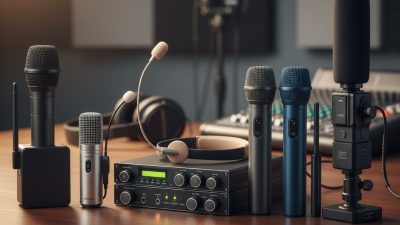
A classroom PA system should make every instruction clear without turning a lesson into a concert. In 2026, the best choice depends on the room, the teacher’s voice, and how students use the space. A small teaching room may need only a microphone and a compact speaker. A larger classroom, or one with noisy ventilation, may need wider coverage and carefully controlled volume. The right system should sound even near the front and back—not sharp beside the speaker or faint by the windows.
Sound expert Julian Treasure has observed, “The human voice: It’s the instrument we all play.” His point matters in a classroom, where students must hear speech, not merely sound. A useful comparison should therefore look beyond advertised power. It should consider speech clarity, microphone comfort, feedback control, setup time, and whether staff can operate the system without technical help. A wireless microphone may give a teacher room to move, but convenience alone does not make a system the best fit.
There is no universal winner. Room shape, furnishings, and daily routines change what works. Even a promising system can disappoint if its speaker is poorly placed. This guide examines practical features and trade-offs to help schools choose a classroom pa system with confidence. A small caveat: specifications cannot tell you exactly how a system will sound in your room. A real listening test still matters.
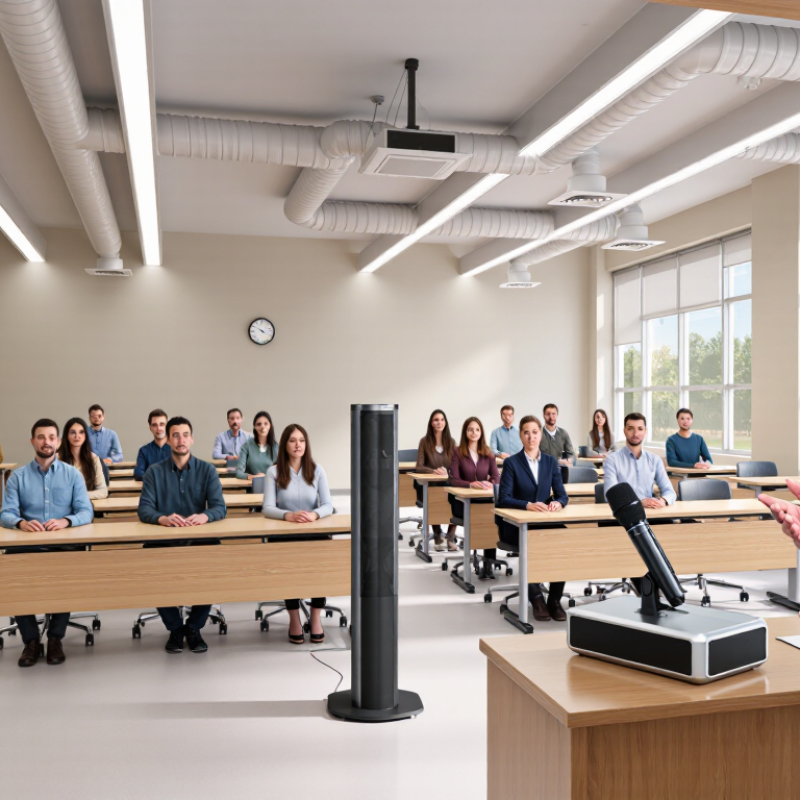
A classroom PA system helps a teacher’s voice reach students across a room without requiring constant shouting. It typically includes a microphone, an audio amplifier, and one or more speakers. Some systems also connect to a computer or other audio source for lessons, videos, and announcements. The microphone captures speech and turns it into an electrical signal. The amplifier increases that signal, and the speakers convert it back into sound. That sounds simple. In practice, clear speech depends on where the speakers sit and how the room reflects sound.
A useful setup lets students hear the teacher at a comfortable volume, including those near the back. A small room may need only one well-placed speaker, while a long or noisy classroom may need more even coverage. Room acoustics matter. Hard floors and bare walls can make voices echo, so turning up the volume is not always the answer. A quick test from different seats can reveal muffled words, feedback, or uneven sound. Even a carefully chosen system may need adjustment after desks move or the class fills up. That part is easy to overlook. Microphone distance matters, too: keeping it a consistent few inches from the mouth usually produces steadier speech.

A modern classroom PA system is more than a microphone and a loudspeaker. It is a chain of components that carries speech clearly across the room without making the front row uncomfortable. A teacher’s microphone may be handheld, worn on a clip, or built into a desk unit. The best choice depends on movement, classroom noise, and who needs to speak. Keep controls simple. If changing the volume takes several steps, staff may avoid using the system.
The microphone signal passes through a mixer or digital signal processor, which adjusts levels and can reduce feedback. An amplifier supplies power, while ceiling or wall speakers distribute sound around the room. Placement matters: a speaker near a hard wall can create an echo, and a back corner may leave students straining to hear. In larger rooms, separate audio zones can help balance sound, though they add setup and testing work. Connections for a computer or display can also be useful, but everyday speech should remain easy to manage. I would not assume a system is working well just because it sounds loud. Test it from the back seats, with the ventilation running and chairs moving. That is where small problems become obvious.
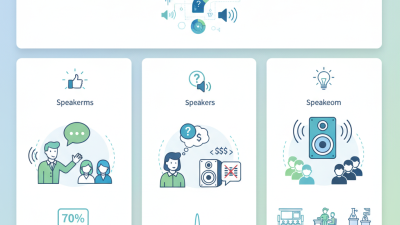
Typical speech-reinforcement frequency ranges (approximate). A clear system should reproduce the frequencies important for speech intelligibility; actual ranges vary by equipment and room.
Frequency ranges are representative design examples, not specifications for a particular product. Microphones capture the voice, DSP shapes and clarifies it, and amplifiers and loudspeakers deliver it throughout the room.
A classroom PA system should make speech clear across the room, not simply loud near the speaker. In 2026, evaluate coverage by testing from the back row, beside a window, and near the classroom door. Can students understand normal speech without straining? Listen for muffled consonants, echo, and uneven volume. A booming sound can be tiring, even when it seems powerful.
Test the system during a typical lesson, with chairs moving and ventilation running. Have the teacher speak while walking between the board and student desks. Check whether the microphone stays clear and resists feedback when held naturally. Try a laptop or other classroom audio source, too. Keep setup simple. If routine controls confuse staff, they may go unused. A phone recording can help compare positions, but it does not replace listening in the room.
Ask about battery life, charging, repair options, and what happens if a microphone fails midweek. Check whether the system can serve the room’s actual size without blocking sightlines or adding clutter. Compare total cost, not just the purchase price. No test is perfect: a quiet afternoon may hide problems that appear during a busy class. Recheck the setup with students present before deciding.
There is no single best system for every classroom. Use this comparison as a planning guide: actual performance depends on room size, layout, background noise, building materials, and installation. Test speech intelligibility from several student seats before choosing.
| Evaluation Dimension | Portable PA System | Classroom Sound-Field System | Distributed Ceiling or Wall Speakers | Networked IP PA System |
|---|---|---|---|---|
| Typical classroom fit | Flexible or shared rooms: Useful where equipment must move between rooms or locations. | Regular teaching spaces: Designed to make a teacher’s voice easier to hear around the room. | Fixed installations: Suited to rooms where consistent speaker placement and permanent coverage are priorities. | Campus-wide communication: Best considered when classroom audio needs to connect with a broader paging or notification system. |
| Coverage approach | One or more portable speakers project sound from their current position; coverage can change when the speaker is moved. | Low-level sound is distributed through the room to support more even listening conditions. | Multiple installed speakers can distribute sound across the seating area; placement and level balancing are important. | Uses network-connected endpoints; classroom coverage still depends on suitable speaker placement and room design. |
| Common microphone options | Typically a handheld or wearable microphone, depending on the system. | Often a wearable microphone; some designs also support handheld or student microphones. | May use a wearable, handheld, or fixed microphone connected to the room’s audio system. | Microphone options vary; confirm compatibility with the classroom audio equipment and network design. |
| Mobility | High. Portable units can be moved, though setup and storage are needed. | Usually fixed in the room; some components may be portable. | Low. Speakers and cabling are normally installed in fixed positions. | Usually fixed endpoints, with system management handled through the network. |
| Installation needs | Usually minimal; check power, charging, storage, and safe placement. | May require room-specific setup, speaker placement, and microphone configuration. | Typically requires mounting, cabling, and acoustic or coverage planning. | Requires compatible network infrastructure, configuration, and coordination with IT and facilities teams. |
| Paging and alert integration | Often limited to the portable unit unless connected to other equipment. | May support room-level announcements; campus integration depends on the system design. | Can support room announcements when connected to suitable paging equipment. | Can support centralized announcements when designed and configured as part of the school’s networked PA system. |
| Relative planning cost | Lower initial setup for a basic unit; costs vary with features and the number of rooms served. | Moderate per-room investment; installation and microphone requirements affect total cost. | Moderate to high, depending on speaker count, cabling, and building work. | Moderate to high; network equipment, integration, licensing, and support can affect total cost. |
| What to test before purchase | Check speech clarity at the back of the room, battery runtime for the school day, feedback control, and ease of moving the unit. | Check that speech is clear at different seats without making the teacher’s voice uncomfortably loud; test microphone comfort and handling. | Check coverage at front, middle, and rear seats; listen for uneven levels, echo, or feedback. | Test announcement routing, network reliability, access controls, and classroom audio during normal network use. |
| Best evaluation question | Can staff set it up quickly and move it safely between the rooms that need amplification? | Can students hear the teacher clearly throughout the room at a comfortable speaking level? | Does the installed layout provide consistent, intelligible sound across the occupied seating area? | Does it meet both classroom listening needs and the school’s campus-wide communication requirements? |
A classroom PA system should make speech clearer, not louder for its own sake. In a room of 25 students, a teacher should be understandable from the back without raising their voice. Wired systems offer a dependable signal and avoid microphone battery checks. They suit fixed lecterns, but cables can cross walkways or limit where a teacher can teach. A tidy cable plan still gets messy once desks move.
Wireless systems give teachers room to circulate, demonstrate work, or help a student at the back. Check battery life, charging routines, and interference in the actual classroom; nearby devices and room layout can affect performance. A brief walk test is more useful than relying only on a specification sheet. Wireless is convenient, but it adds one more thing to remember.
Networked PA systems send audio through a school’s data network, which can support central control across several rooms. They may fit campuses that already have suitable network connections and technical support. However, setup depends on network capacity and configuration, and troubleshooting may require an IT administrator. For one classroom, that can be more complexity than needed. I would not call any type best without testing speech intelligibility, coverage, and daily setup with the teacher who will use it.
Choosing the right classroom PA system starts with room size and teaching style, not maximum volume. In a small room, one clearly placed speaker may cover lessons without making nearby students uncomfortable. Larger or unusually shaped rooms may need more even coverage, especially when students sit far from the teacher. Listen for clear speech at the back row, not just loud sound near the front. Keep it simple.
Teaching needs matter, too. A teacher who moves between a board, desks, and activity stations may benefit from a lightweight wireless microphone. For group discussion, check whether the system supports multiple microphone inputs. If lessons include recorded audio, confirm that connections are easy to use and that playback stays clear at a moderate level. Extra features can be useful, but they can also add setup steps. That trade-off is easy to overlook.
Tips: Test the system in the actual room before choosing. Stand at the farthest desk and listen during ordinary speaking. Check for echo, feedback, and blocked sound from shelves or partitions. A quick trial will not answer everything, but it can reveal a poor fit. Don’t assume the first setup is perfect; speaker placement may need adjustment.