How to Choose the Best Classroom Microphone for Your Needs?
Choosing the best classroom microphone can seem daunting. Various models are available, each with unique features. Understanding what fits your needs is crucial to enhance learning experiences.
A classroom microphone plays a vital role in improving communication. It amplifies the teacher's voice, ensuring clarity for all students. However, not every microphone suits every environment. Factors like room size, student numbers, and purpose matter. Some devices may struggle in larger rooms, while others may excel.
When selecting a classroom microphone, consider usability. It should be easy to set up and operate. Features like wireless connectivity can be appealing, but they can also complicate the process. Weigh the pros and cons. Look for models with good reviews but remain critical. Think about your specific goals. A careful choice can foster a better learning atmosphere.
Understanding Different Types of Classroom Microphones
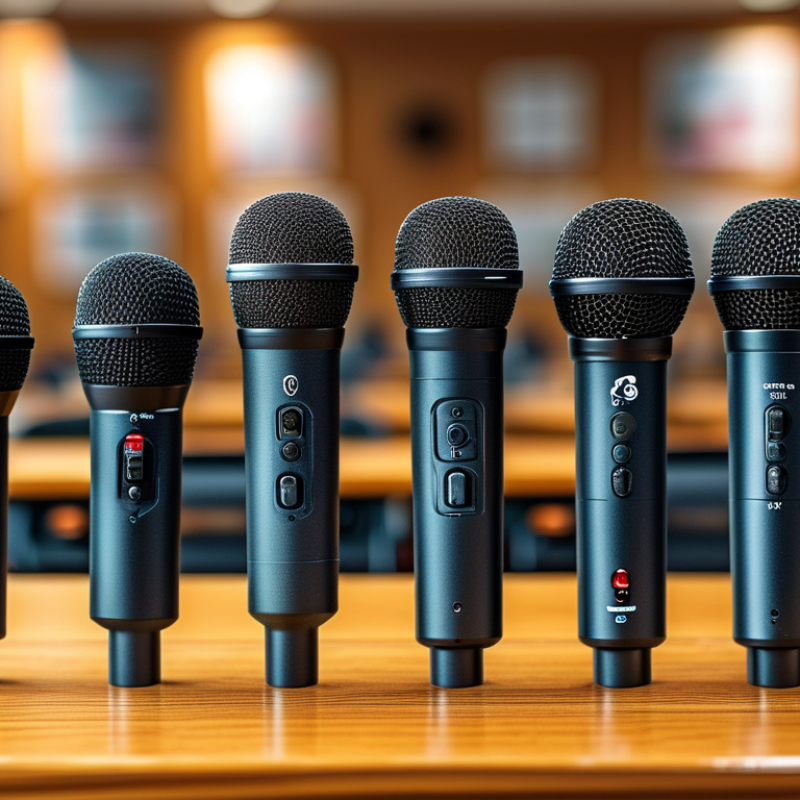
When selecting a classroom microphone, understanding the various types available is essential. Two primary categories are handheld and headset microphones. Handheld microphones offer versatility and ease of use. They are great for group activities where students can pass the microphone around. However, they may not always provide consistent sound quality if not held correctly.
Headset microphones, on the other hand, allow for hands-free operation. They are ideal for teachers who need to move around the classroom. According to a recent industry report, approximately 68% of educators prefer headset models for their comfort and clarity. Yet, some may find them less effective during group discussions.
For better sound capture, consider the microphone's polar pattern. Directional microphones pick up sound mainly from one direction. This feature can reduce background noise. If your classroom is noisy, this is a key factor. Remember, a good microphone enhances the learning experience.
Be mindful of your specific needs. A simple classroom setup may benefit from a basic microphone. On the flip side, larger spaces may require more advanced systems for optimal sound quality. Understanding these nuances ensures you choose the best tool for your classroom.
Evaluating Sound Quality and Performance Features
When evaluating sound quality and performance features for classroom microphones, clarity is key. Look for microphones that capture a full range of frequencies. A good microphone should reproduce voices distinctly, even in a noisy room. Test the mic yourself. Does it pick up whispers? Is background noise canceled effectively? These factors contribute significantly to a productive learning environment.
Another important aspect is connectivity. Consider whether wireless or wired suits your classroom setup better. Wireless microphones offer flexibility, allowing teachers to move freely. However, they may have latency issues or interference. Wired microphones often provide a reliable, stable connection. Think about your teaching style and classroom layout. Will you need to walk around often?
Check battery life if choosing a wireless option. A short battery life can disrupt a lesson. Look for microphones that offer indicators for low battery or connection status. Consider forms of feedback from students or colleagues regarding audio clarity. Their insights will help you refine your microphone choice, ensuring it meets your unique needs. Evaluating these features requires careful thought, but it's essential to enhance classroom communication.
Classroom Microphone Performance Evaluation
Considering Connectivity Options and Compatibility
When selecting a classroom microphone, connectivity options and compatibility are crucial. Different microphones connect through USB, Bluetooth, or XLR cables. USB microphones are convenient for direct use with computers. They offer plug-and-play ease but may not provide the best sound quality. Bluetooth microphones allow for wireless use, creating a clutter-free environment. However, they can experience latency or dropouts, impacting the audio experience during lessons.
Compatibility is equally important. Ensure that the chosen microphone works with your devices. Compatibility with software used for teaching—like video conferencing tools—is essential. Some microphones may require additional drivers or software updates. Researching the microphone’s specifications helps avoid frustrations later. Teachers have reported issues with setting up incompatible devices, which obstructs teaching flow. Always check reviews for insights on real-world performance. Prioritizing these aspects will lead to a more successful and engaging classroom experience.
Assessing Budget Constraints and Value for Money
When choosing a classroom microphone, budget constraints can heavily influence your decision. Determine how much you can spend before diving into options. A well-defined budget will help avoid overspending on features that you may not use. Remember, cheaper models might compromise quality, but they can still perform adequately for basic needs.
Evaluate the features that offer real value for your situation. For instance, look for microphones with noise-cancellation capabilities. These can enhance speech clarity, particularly in busy environments. However, value isn’t just about price. Consider the durability and warranty, too. A more expensive microphone might be worth the investment if it stands the test of time.
It's essential to be critical about what you truly need. Some microphones offer numerous features that may sound appealing but are unnecessary for a classroom setting. Reflect on the size of your classroom and the number of students. A microphone that fits your specific requirements could save you money and enhance your teaching experience.
Identifying Additional Features for Enhanced Usability
When selecting a classroom microphone, consider additional features that enhance usability. Directional microphones, for example, capture sound from certain angles. This can significantly reduce background noise. Also, models with built-in noise cancellation are beneficial. They help maintain clarity in noisy environments, ensuring every word is heard.
Wireless connectivity stands out as another key feature. It offers flexibility in movement, which is crucial for engaging lessons. Imagine a teacher moving around the room, interacting with students without being tethered by cables. That kind of freedom fosters a dynamic learning atmosphere.
Battery life is often overlooked. A microphone that lasts through long class periods eliminates interruptions. Think about the frustration when a device dies mid-lecture. User-friendly controls are also important. Simple buttons for mute or volume adjustment can save precious time during lessons. Reflect on how often learners can be distracted; technology should enhance, not complicate. Balancing these features can lead to a successful choice, tailored to specific classroom needs.