Wireless microphones are now common in conferences, classrooms, houses of worship, interviews, and live performances. Grand View Research’s 2024 wireless microphone market report identifies continued growth, driven by portable production and professional event demand. That growth makes reliable setup knowledge more important, not less. A wireless mic setup is not simply a microphone, receiver, and fresh batteries. It is a small radio system operating in a crowded, regulated environment.
A strong setup begins with the venue. Walk the room before connecting equipment. Note thick walls, metal structures, LED screens, Wi-Fi access points, and the receiver’s planned position. Shure’s Wireless Microphone Systems Guide recommends coordinated frequencies, suitable antenna placement, and careful gain management. These details prevent dropouts, hiss, and sudden feedback when a speaker turns their head. Keep antennas visible and separated when the receiver supports diversity operation. Shorter cable runs usually help.
Frequency planning matters most. Local regulators, including the FCC in the United States, define permitted spectrum and operating conditions. Other countries use different allocations, so never copy a frequency plan blindly. Sennheiser’s RF guidance also emphasizes line of sight, intermodulation control, and realistic operating range. A clean scan does not guarantee a perfect show. I have seen systems pass a quiet test and fail after an audience enters. That is why this guide includes practical checks, backup batteries, soundcheck movement, and a final walk through the room. Some advice may seem overly cautious. It is still cheaper than losing one important sentence on stage.
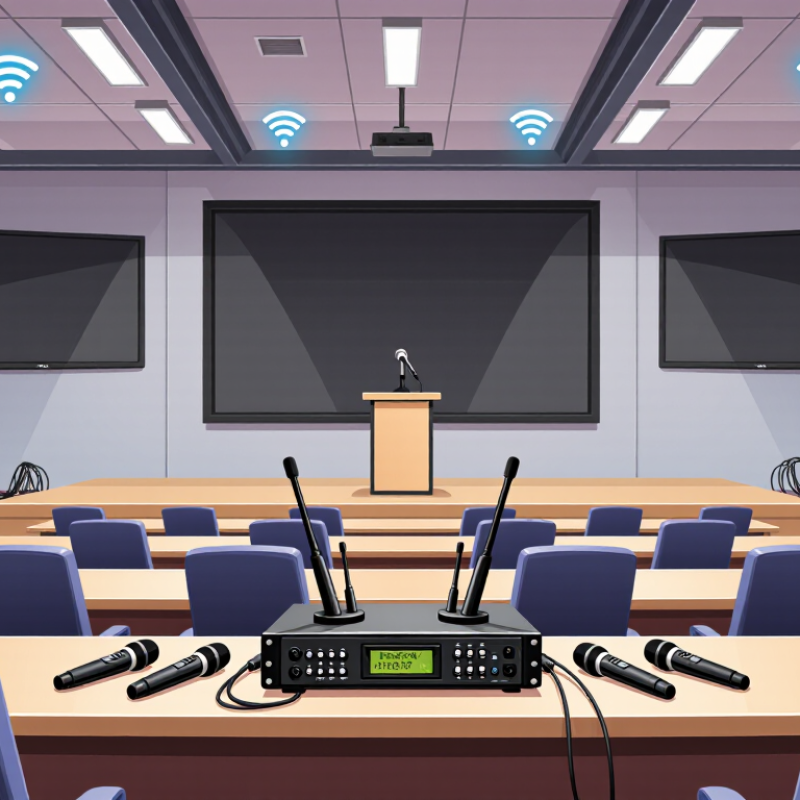
How to Set Up a Wireless Mic System?
Choosing the right wireless microphone system starts with the venue, not the microphone. A 2024 Grand View Research report estimates the global wireless microphone market at about USD 2.4 billion in 2023. That growth reflects demand for mobility, but more options can create poor decisions.
For speeches, select a headset or lavalier with clear voice pickup and stable transmission. For singing, a handheld capsule often handles louder sound better. Check operating frequency rules in your region. Frequency availability changes by country and venue. A system with diversity reception can reduce dropouts in crowded rooms. A 2024 report from MarketsandMarkets projects the wireless microphone market to grow at over 8% annually through 2029. Reliability is becoming a purchasing priority, not a luxury.
Measure the real distance between the transmitter and receiver. Walls, metal structures, and people weaken the signal. Test the system from the stage before the audience arrives. Set the receiver output low, then raise the mixer gain gradually. This prevents hiss and sudden feedback. I keep spare batteries nearby, even with rechargeable units. That habit feels excessive until a presentation fails. Battery claims also need caution; manufacturers often measure them under ideal conditions. Use the stated runtime as a guide, not a promise. A beginner may choose maximum range, but practical stability usually matters more.
Typical specification ranges to compare before selecting a wireless microphone system.
Compare operating range, battery life, audio frequency response, and system latency with your venue and production needs. These are common industry ranges rather than guaranteed specifications; always verify local frequency regulations and the manufacturer’s technical data before setup.
A reliable wireless mic setup begins with preparation, not button pressing. Inspect the microphone body, grille, and battery compartment for damage. Use fresh, matched batteries, and keep spares nearby. Turn off nearby transmitters during setup to reduce unwanted interference. Crowded radio spaces can create sudden noise, even in a quiet room.
Place the receiver where it has a clear path to the microphone. Avoid hiding it behind metal equipment or inside a cabinet. Connect the receiver output to the mixer, recorder, or powered speaker with a secure cable. Select an approved operating frequency, then match it on both devices. Start the input gain low. Speak at a normal performance level and raise the gain gradually. Watch the audio meters without letting them reach the red zone.
Walk ten meters. Then listen. Notice dropouts, buzzing, or changes in volume. If the sound becomes thin, check the microphone position and battery condition before changing settings. Check every connection. Keep antennas upright and separated from large metal surfaces. Secure the cable near the receiver so a small pull does not loosen it. Leave enough headroom for louder speech or singing. I have sometimes trusted a clean meter reading too quickly; movement can reveal problems that a stationary test misses. Test it again from the actual performance area.
Before connecting a wireless microphone system, place the receiver on a stable surface with clear space around its antennas. Keep it away from large metal objects, routers, and other radio equipment when possible. Connect the receiver’s audio output to a mixer, amplifier, or powered speaker using the correct cable. Check both ends firmly. A loose connector can look like a dead microphone.
Insert fresh or fully charged batteries into the transmitter, then reduce the mixer and speaker volume. Connect the receiver to power, but leave the transmitter switched off for a moment. Turn on the receiver first. Its display should light up and show a channel or frequency.
Turn on the transmitter and confirm that both units use the same channel. If they do not match, follow the system’s pairing instructions before raising the volume. Small detail: keep the microphone away from the speaker.
Speak at a normal distance and slowly increase the volume. Listen for a clean voice without humming, crackling, or sudden drops. I often walk several steps around the room because a system can sound perfect beside the receiver but weaken near walls or metal furniture. That pause matters. If noise appears, lower the gain, replace the batteries, and check every cable again. Do not assume a new battery fixes everything. A missed channel setting caused one of my early setup failures. Test the system before the audience arrives, even when the setup seems obvious.
How to Set Up a Wireless Mic System?
Pair the Transmitter with the Receiver
Place the receiver near your audio equipment, then connect its output cable securely. Turn on the receiver and transmitter with fresh batteries or fully charged cells. Select the same channel or frequency on both devices. Some systems pair automatically, while others require a sync button or infrared connection. Follow the manufacturer’s instructions carefully, because pairing methods can differ. I once blamed a faulty microphone when the real problem was a mismatched channel.
Watch the receiver’s display or indicator light. A steady connection signal usually confirms successful pairing. Speak from a normal distance and listen through headphones. Move slowly around the room while checking for dropouts, buzzing, or sudden volume changes. Keep the transmitter’s antenna area uncovered. Metal objects, crowded wireless spaces, and thick walls can weaken the signal. Adjust input gain gradually, rather than turning it up fully. Clear speech matters more than maximum loudness.
Tips: Test the system before recording or presenting. Keep a spare battery nearby. Label each transmitter when using several units. Avoid placing the receiver directly beside routers or large power supplies. Check the legal frequency requirements in your region. If pairing fails, power off both units, reset their channels, and try again. The process can feel simple, but small settings are easy to overlook.
A wireless mic system is only reliable after a careful audio test. Speak at the performer’s loudest natural volume, not a quiet rehearsal voice. Watch the receiver meter while checking the console input. Peaks should remain below clipping, with enough headroom for sudden laughter or movement. Leave room for surprises.
Use headphones to detect hum, dropouts, hiss, and clothing noise. Walk through the performance area slowly. Test near metal structures, lighting equipment, and crowded audience zones. A signal that sounds clean beside the receiver may fail across the stage. I once trusted a strong meter reading and missed a brief dropout near a doorway.
Set gain at the transmitter before increasing the mixer input. Excessive transmitter gain can distort speech before the signal reaches the receiver. Keep the audio path consistent during testing. For broadcast work, compare the result with EBU R 128, which uses a target of −23 LUFS. ITU-R BS.1770 provides the loudness measurement method behind this practice. These standards help, but they do not replace listening.
Check the noise floor between phrases. It should fall naturally without abrupt pumping. Monitor the performer’s voice from several seats, not only from the mixing position. The National Institute for Occupational Safety and Health recommends limiting exposure to 85 dBA over eight hours. Keep monitoring levels comfortable. Recheck after batteries, antenna positions, or stage layouts change. Small changes matter.
| Setup Stage | Data Dimension | Recommended Reference | Test Method | Example Reading | Adjustment or Action | Result |
|---|---|---|---|---|---|---|
| 1. Power and Connection | Receiver power, antenna connection, and output routing | Receiver powered continuously; antennas fully connected; output routed to the correct mixer or interface input | Check the display, antenna connectors, audio cable, and selected input channel before the sound check | Power: On Antennas: Connected Console input: Channel 3 |
Reconnect loose cables and select the correct input channel if no signal is present | Pass |
| 2. Frequency Coordination | Operating frequency and interference risk | Use a clear, legally permitted frequency; avoid overlapping frequencies when multiple systems operate together | Scan the intended operating range and check for nearby transmitters or persistent RF activity | Selected frequency: 638.250 MHz Background RF: Low |
Move to another coordinated frequency if the scan shows strong or unstable RF activity | Pass |
| 3. Transmitter Preparation | Battery condition and microphone placement | Use fresh or fully charged batteries; position the microphone consistently and keep the capsule unobstructed | Inspect battery status and perform a physical check of the belt pack, cable, clip, and microphone grille | Battery: Full Mic distance from mouth: 15 cm Cable: Secure |
Replace batteries or reposition the microphone if the level changes when the performer moves | Pass |
| 4. RF Signal Test | RF level and signal stability | RF level should remain stable throughout the intended coverage area; avoid operating at the edge of reception | Walk through the performance area while monitoring the receiver’s RF meter for drops, flicker, or complete loss | RF level: 4 of 5 bars Dropouts: None during a 5-minute walk test |
Improve antenna placement, reduce obstructions, or coordinate a different frequency if dropouts occur | Pass |
| 5. Audio Gain Setup | Transmitter sensitivity and mixer input gain | Normal speech should produce approximately -18 to -12 dBFS on a digital input, leaving headroom for louder peaks | Ask the speaker to talk at normal and maximum expected levels while observing the input meter | Normal speech: -18 dBFS Peak speech: -8 dBFS Clipping: None |
Increase input gain for a weak signal; reduce transmitter or mixer gain if peaks approach 0 dBFS | Pass |
| 6. Receiver Output Level | Receiver output setting and console input sensitivity | Set the receiver output to match the connected input type; avoid compensating for a very low receiver output with excessive console gain | Compare the receiver meter with the mixer meter and confirm that the console channel fader remains near its normal operating position | Receiver output: Medium Console preamp: +22 dB Peak level: -8 dBFS |
Balance receiver output and console preamp so the signal is strong without audible noise or clipping | Pass |
| 7. Squelch and Noise Control | Squelch threshold and idle noise | Use the lowest squelch setting that keeps unwanted RF noise muted without causing dropouts at the edge of coverage | Mute the transmitter, walk to the farthest operating point, and listen for hiss, bursts, or abrupt muting | Squelch: Medium Idle noise: Not audible False mutes: None |
Raise squelch only when unwanted noise is present; lower it if the audio cuts out during movement | Pass |
| 8. Audio Quality Check | Clarity, distortion, handling noise, and plosives | Speech should be clear and consistent, without clipping, excessive bass, breath noise, or cable handling noise | Test normal speech, loud speech, soft speech, movement, and several plosive sounds such as “P” and “B” | Speech clarity: Clear Distortion: None Handling noise: Low Plosives: Controlled |
Adjust microphone position, add a windscreen, or reduce sensitivity if distortion or plosives are detected | Pass |
| 9. Coverage and Movement Test | Operating distance and line-of-sight performance | Confirm reliable audio at all planned positions, including stage edges and normal walking routes | Repeat the walk test with the performer facing different directions and briefly passing behind typical obstacles | Test distance: 35 m Audio interruptions: None Coverage: Complete |
Relocate antennas or reduce the operating distance if the signal becomes intermittent | Pass |
| 10. Final Recording Check | Recorded level, channel identification, and backup readiness | Record a short sample with clean peaks, correct channel labeling, and sufficient battery capacity for the event | Record 30 seconds of speech, play it back, verify channel routing, and confirm spare batteries are available | Recording: Clean Channel label: Wireless Mic 1 Spare batteries: Available |
Correct routing or labeling errors before the event and keep replacement batteries accessible | Pass |